
What's New: Manager Briefings, Rep Filtering & Smarter Canvas

Six updates this week: Monday briefings now give managers team-wide patterns and suggested game plans, Command Center lets managers filter by rep and take delegated actions, Find Accounts lets you choose how many accounts to discover, and Canvas contact search is significantly faster and more reliable.
Monday briefings now surface team patterns and rep game plans
Monday briefings have been updated with a manager-specific view that calls out patterns across your team's accounts for the week — which deals are stalling, where activity is picking up, and what's changed since last Monday.
Each briefing includes suggested game plans your reps can use to attack their accounts. Instead of digging through dashboards to figure out where each rep should focus, you walk into Monday with a plan already built.
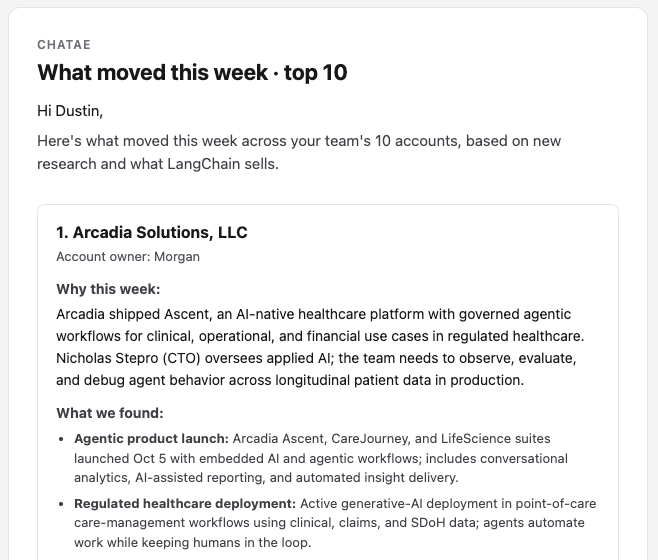
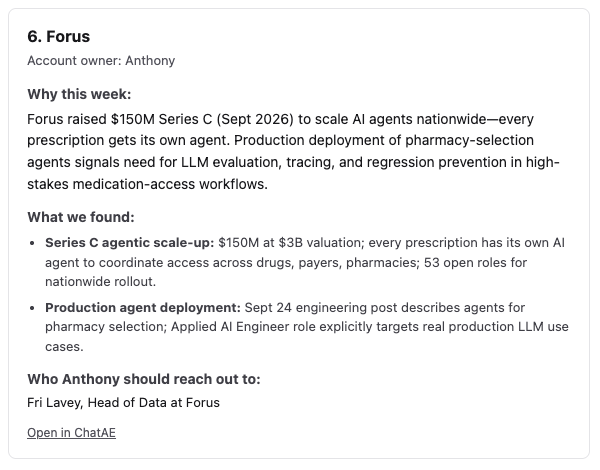
Managers will see the updated briefing in their Monday morning email automatically.
Managers can filter Command Center by rep and take actions on their behalf
Command Center now lets managers filter by any team member to see their pipeline view. Select a rep and you'll see their accounts, alerts, and priorities exactly as they would.
From there, you can take actions on their behalf — run account discovery, trigger research, manage alerts, and import accounts for your team members directly. No more switching between logins or waiting on reps to do it themselves.
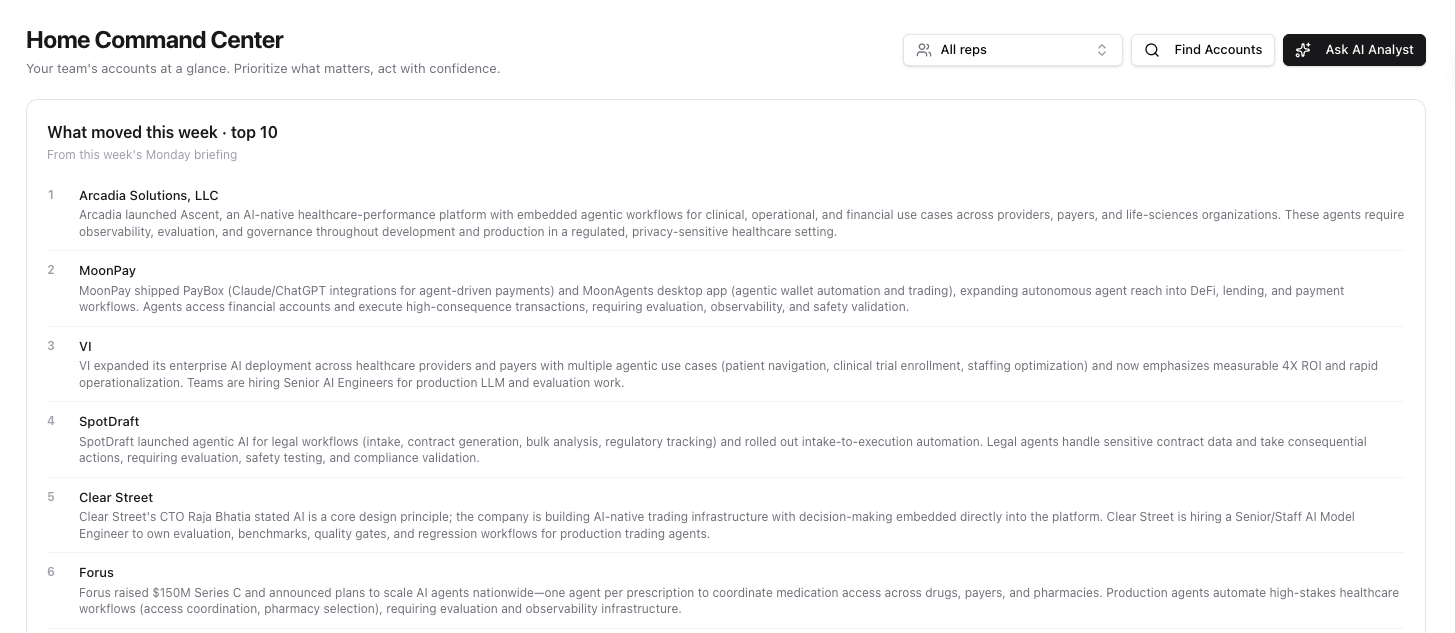
Open Command Center and use the rep filter dropdown to switch views.
Choose how many accounts to find with configurable discovery
When running Find Accounts, you can now choose how many accounts to discover instead of being locked to a fixed number. Set a smaller scope for targeted prospecting or go wider when you're building out a new territory.
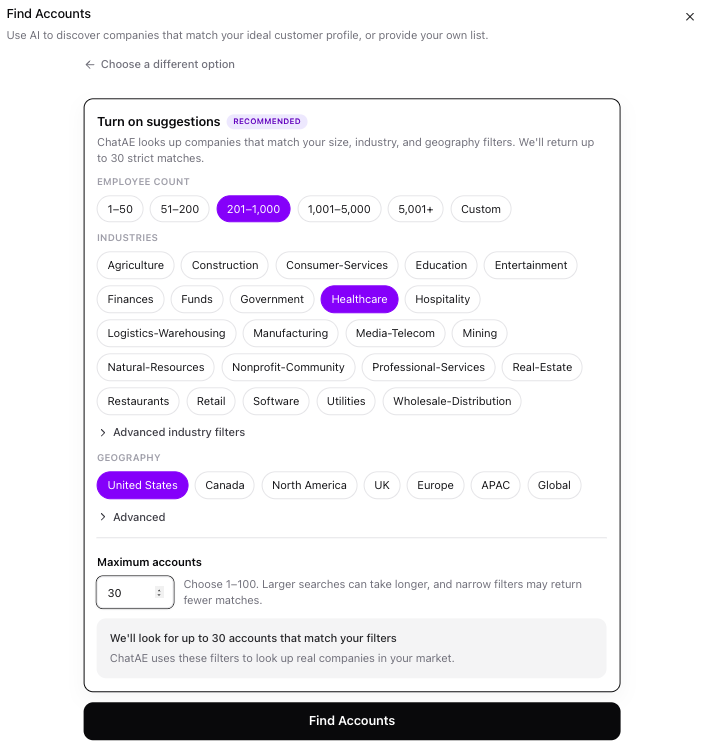
Adjust the count when you launch Find Accounts from the Accounts page or Command Center.
Cross-account contact search is now a single fast query
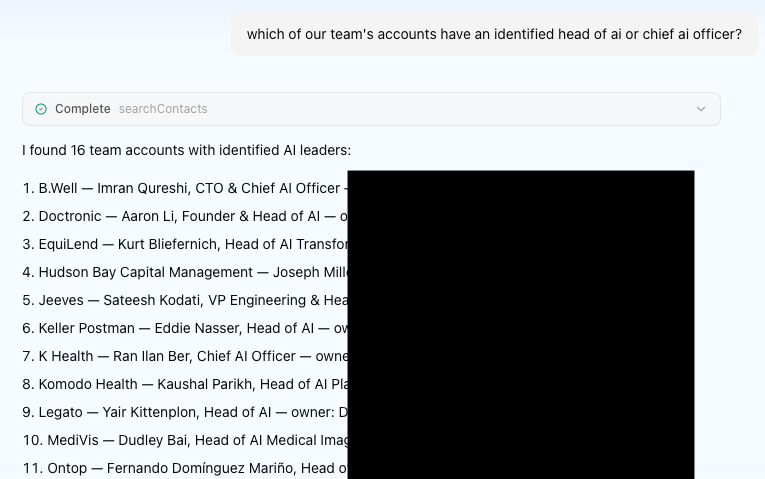
Asking Canvas cross-account contact questions — like "which of my accounts have a CTO?" or "find VPs of Engineering across my book" — now works in a single fast query instead of searching account-by-account.
You can also filter results by job title and scope them to your accounts, your team's, or the whole org. What used to take multiple searches and manual filtering now happens in one step.
Bug fixes
- Better contact discovery results — fixed an issue where asking Canvas to find contacts at a specific account could return too few results or search the wrong company. Contact discovery now defaults to 5-10 results and always enriches the account you actually asked about.
- Canvas integration reliability — connected integrations like Gmail and Salesforce now load more reliably in Canvas sessions. When a connector has a temporary outage, Canvas stays available instead of getting stuck.
Try it out
All updates are live today. If you're not on ChatAE yet, start your free trial and see them in action. If you're already a customer, check your next Monday briefing for the new manager view, or open Command Center and try the rep filter. Questions? Reach out — we'd love to hear from you.