
What's New: Contact Personas, Team Account Imports & Team Home

Three updates this week: you can now choose exactly which roles ChatAE searches for with contact personas, admins can upload and distribute accounts across their team from a single CSV, and the admin Home page now shows your team's accounts instead of an empty personal view.
Choose who ChatAE searches for with contact personas
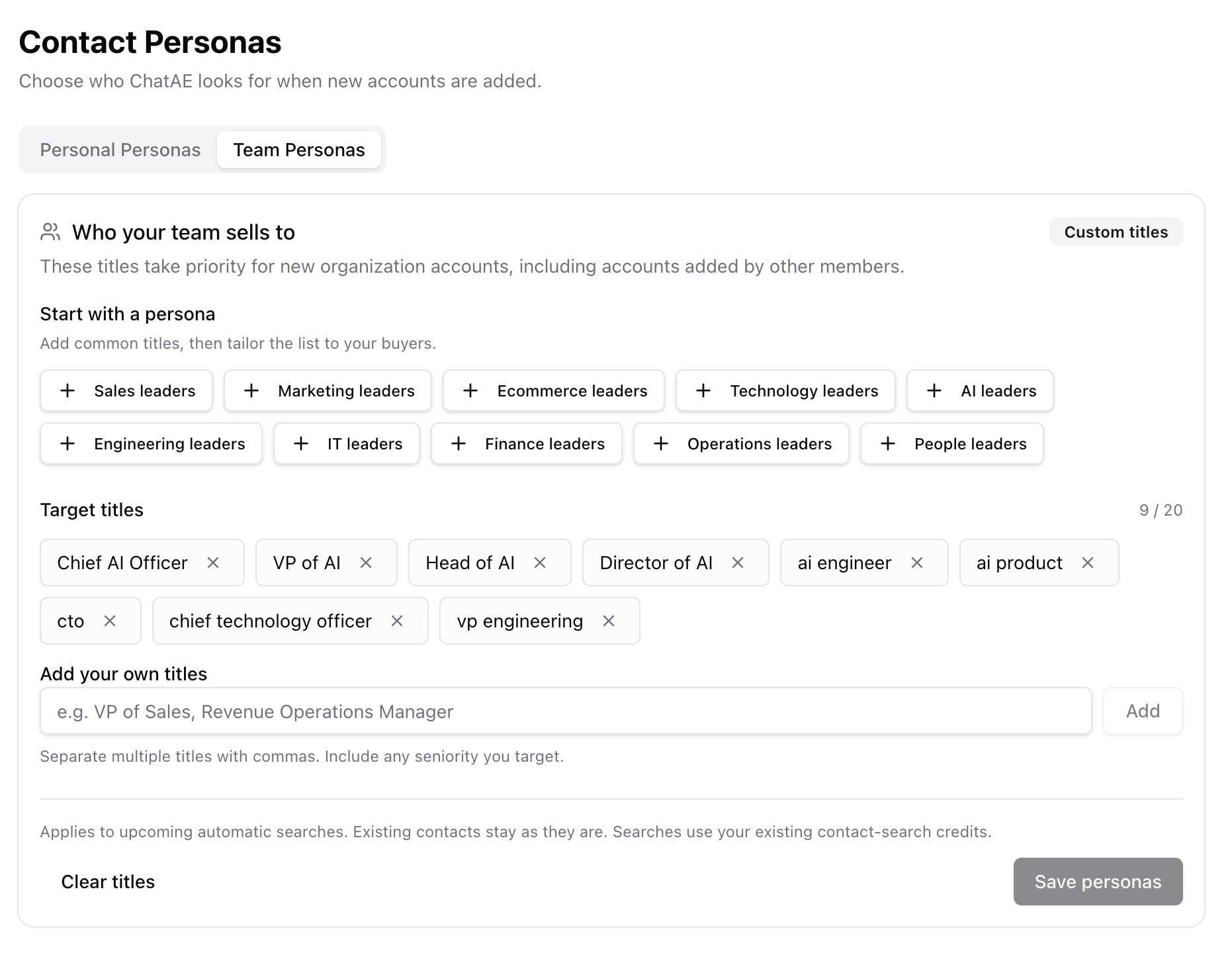
You can now save the exact job titles ChatAE targets when finding contacts for your accounts. Pick from 10 built-in presets — Sales, Marketing, AI, Engineering, Finance, Technology, Ecommerce, IT, Operations, and People leaders — or add your own custom titles. Save up to 20 distinct titles using any mix of presets and custom entries.
Each preset contains five titles tuned to that function. The AI leaders preset, for example, includes Chief AI Officer, VP of AI, Head of AI, Director of AI, and Head of Machine Learning.
Organization admins can set shared team defaults that apply to all team accounts. Individual reps can also configure personal titles for their own accounts. Team titles take priority for organization accounts; personal titles apply to personal accounts and when no team defaults are configured. If neither is set, ChatAE falls back to its existing seller-profile suggestions.
When you add a new account, automatic contact searches use your saved personas — and follow-up searches keep that selection rather than expanding into unrelated roles.
Configure yours in Settings → Contact Personas, or access it directly from Contacts.
Import and assign accounts across your team from one CSV
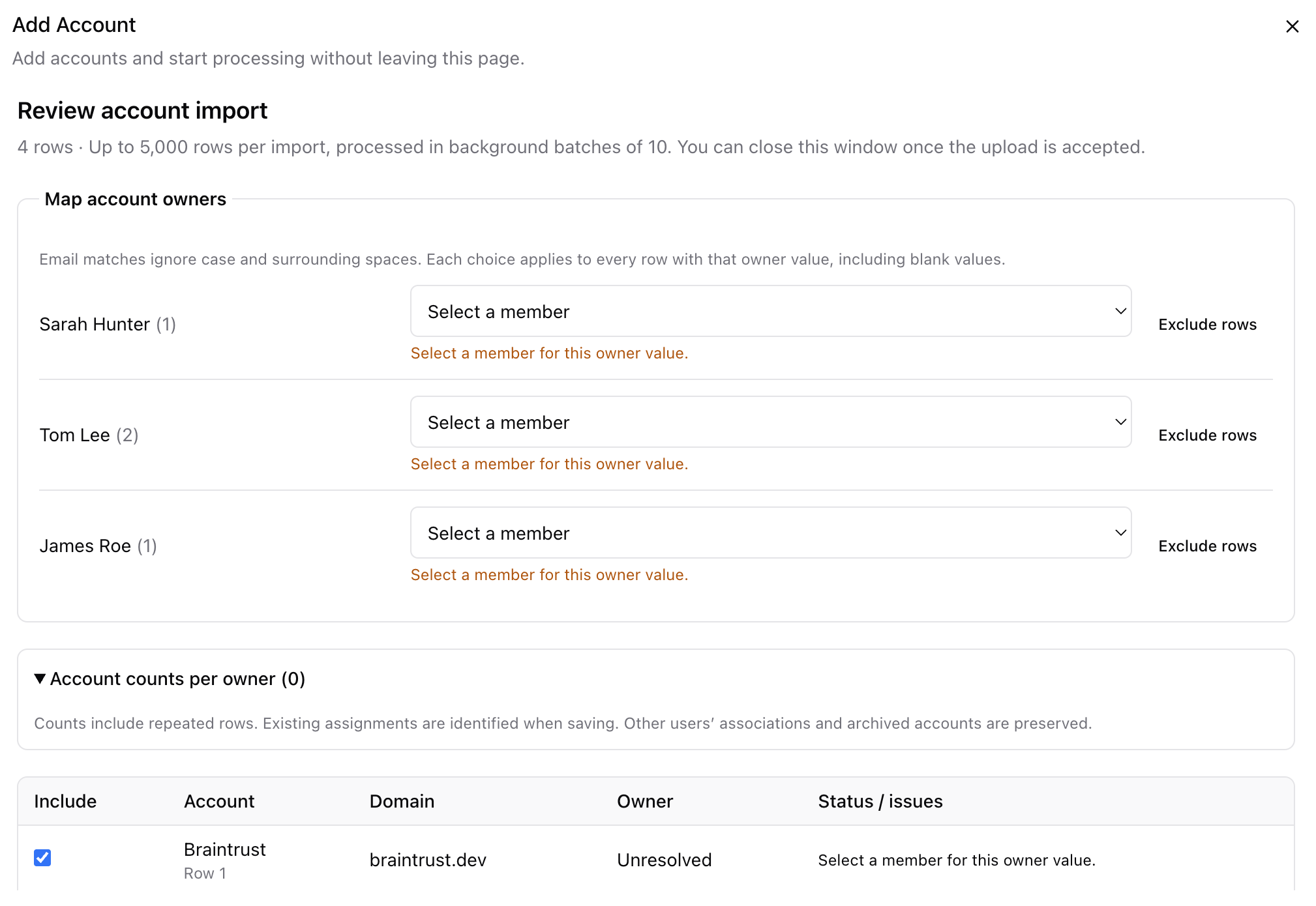
Organization admins can now upload a single CSV of up to 5,000 accounts and assign each one to a teammate in the same step.
Head to Accounts → Add Account → Upload CSV, then map an owner column. Email addresses match existing team members automatically; names or unmatched values can be mapped manually. Review validation issues and account counts per owner before accepting the import — once accepted, processing continues in the background after the dialog closes.
The Imports page tracks progress and results, provides downloadable CSV reports, and offers retries for anything that didn't finish. Account and import views now also show clearer scoring states — queued, running, and failed — with recovery and retry options when something goes wrong.
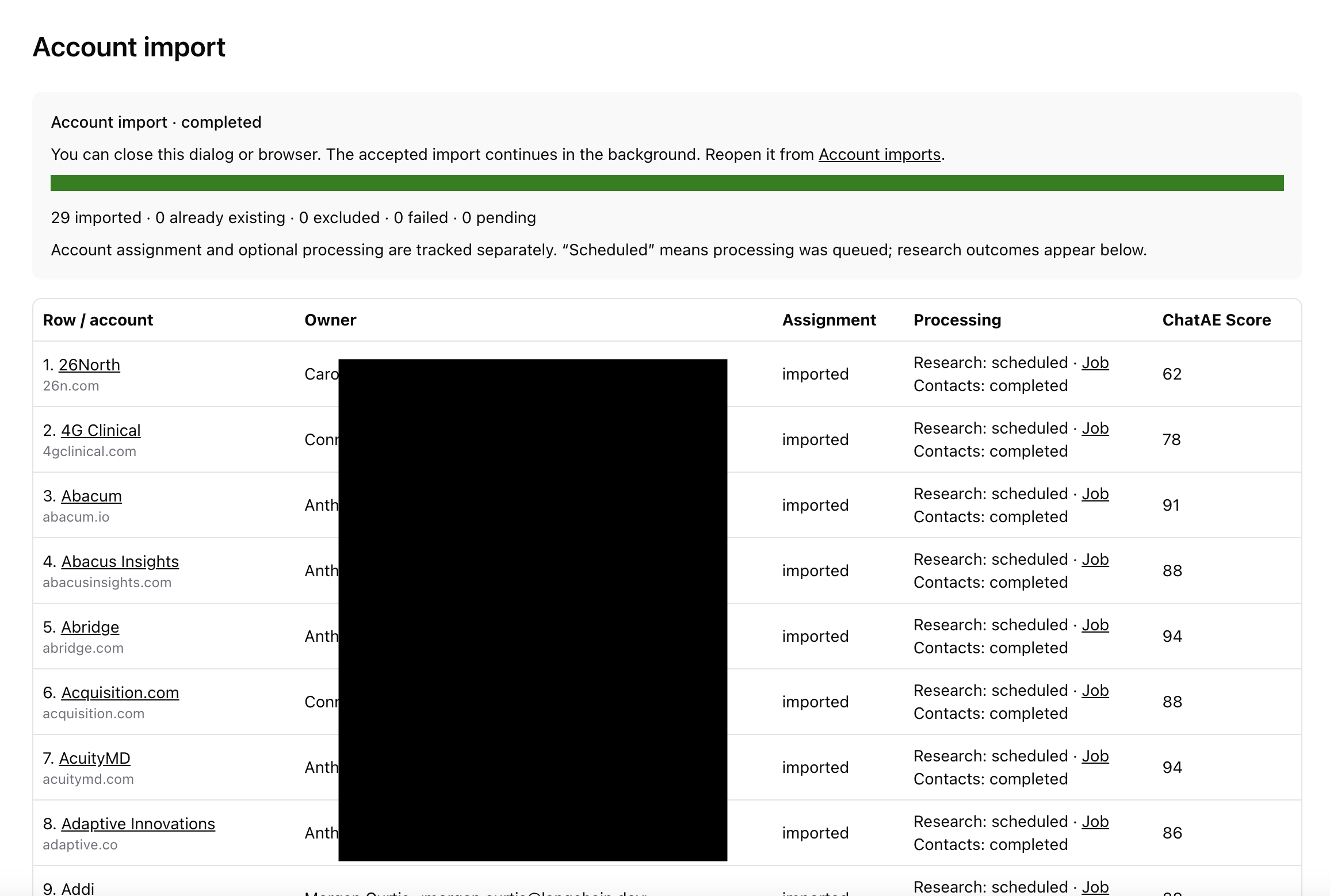
Without an owner column, all accounts go to the uploader. With one, you can distribute a shared target list to the right reps while keeping ownership and progress visible in one place.
Admins now see their team's accounts on Home by default
Organization admins now see their team's accounts, scores, contacts, research, and alerts directly on Home. No more empty personal-only view just because your teammates own the accounts — you get full visibility into your team's account work without leaving the main dashboard.
Regular members still see their personal view, so nothing changes for individual reps.
More complete LinkedIn links
Contact searches now correctly retain personal and company LinkedIn URLs when those URLs are available in the returned data. If you have existing contacts missing LinkedIn links, rerunning the search will pick them up.
Try it out
All updates are live today. If you're not on ChatAE yet, start your free trial and set up your first contact personas. If you're already a customer, head to Settings → Contact Personas to choose who ChatAE finds for you, or try the new bulk import to get your team's accounts loaded in minutes. Questions? Reach out — we'd love to hear from you.