Plan and publish account books with AI
An AI workspace that finds & researches accounts, generates tiers and scores, analyzes your books, proposes changes, and syncs back to your CRM. Build optimized territories in hours, not weeks.
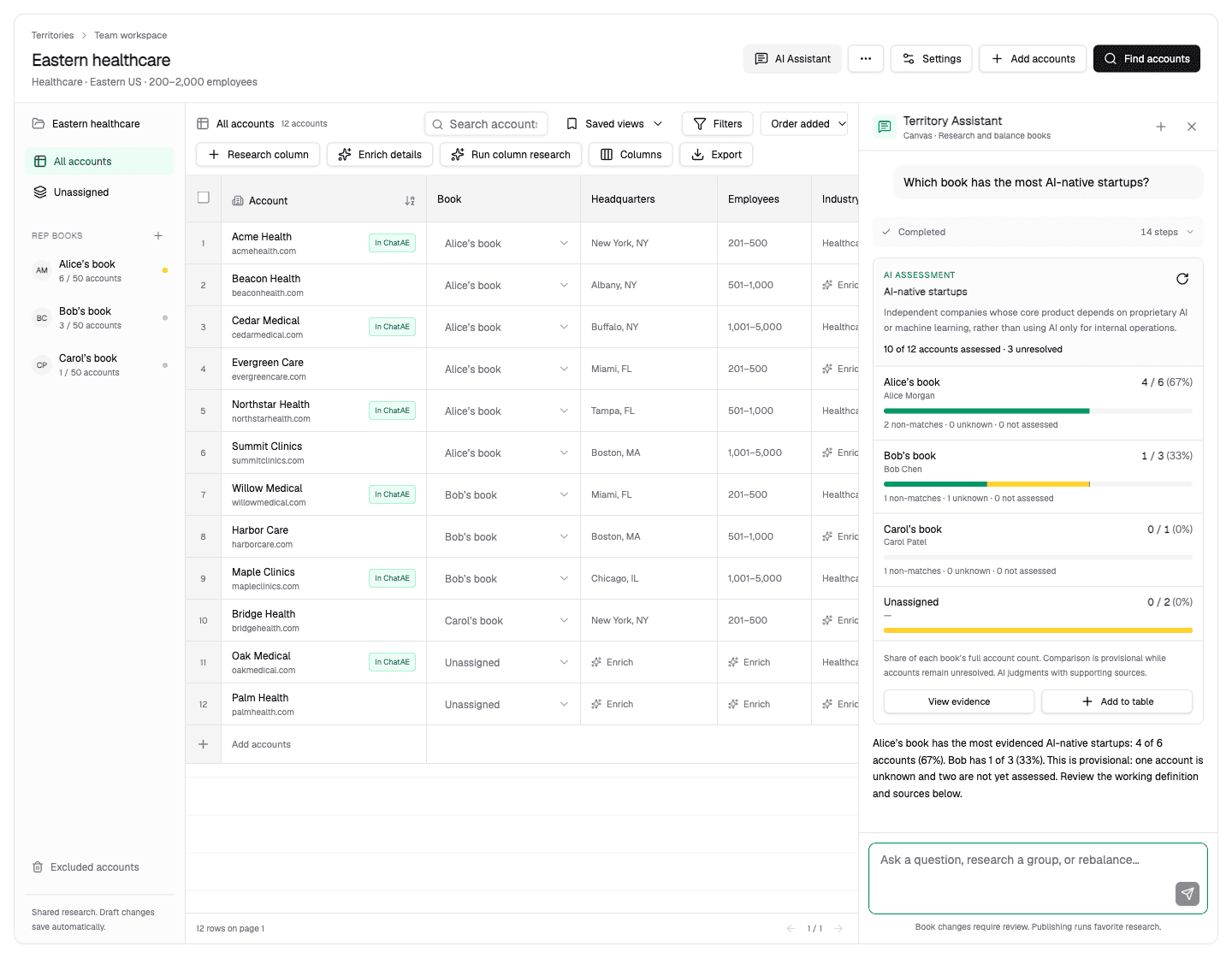
Territory planning usually means separately researching and scoring accounts in a spreadsheet, and manually carving up books — only to get an unoptimized set of account lists. Territory Builder finds new good-fit accounts, generates scores and tiers, and syncs to your CRM with an AI assistant that analyzes and rebalances books before you publish.
Start with existing accounts from ChatAE or your CRM
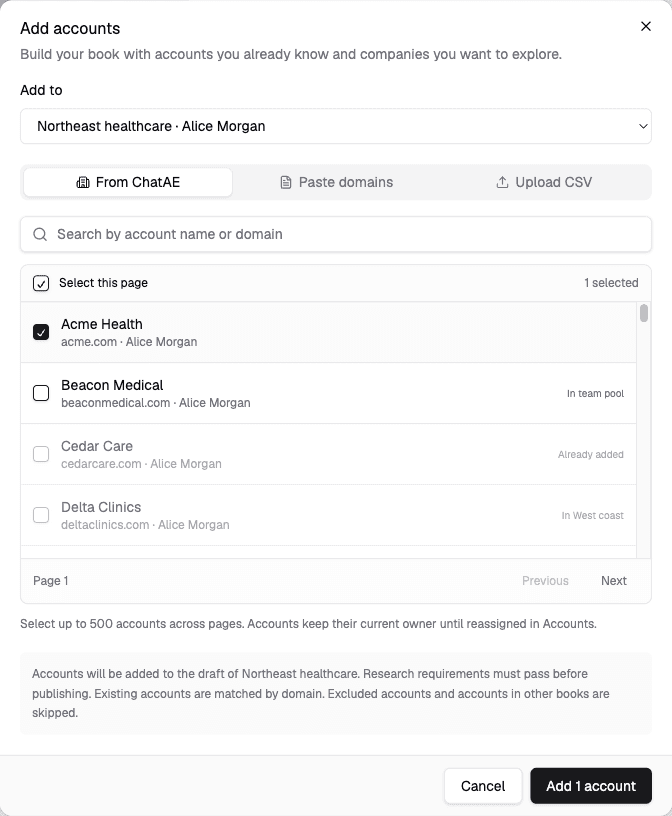
Pull in accounts already in ChatAE, sync from your CRM, or upload a CSV. Existing customers, open opportunities, and net-new targets all go into the same draft workspace.
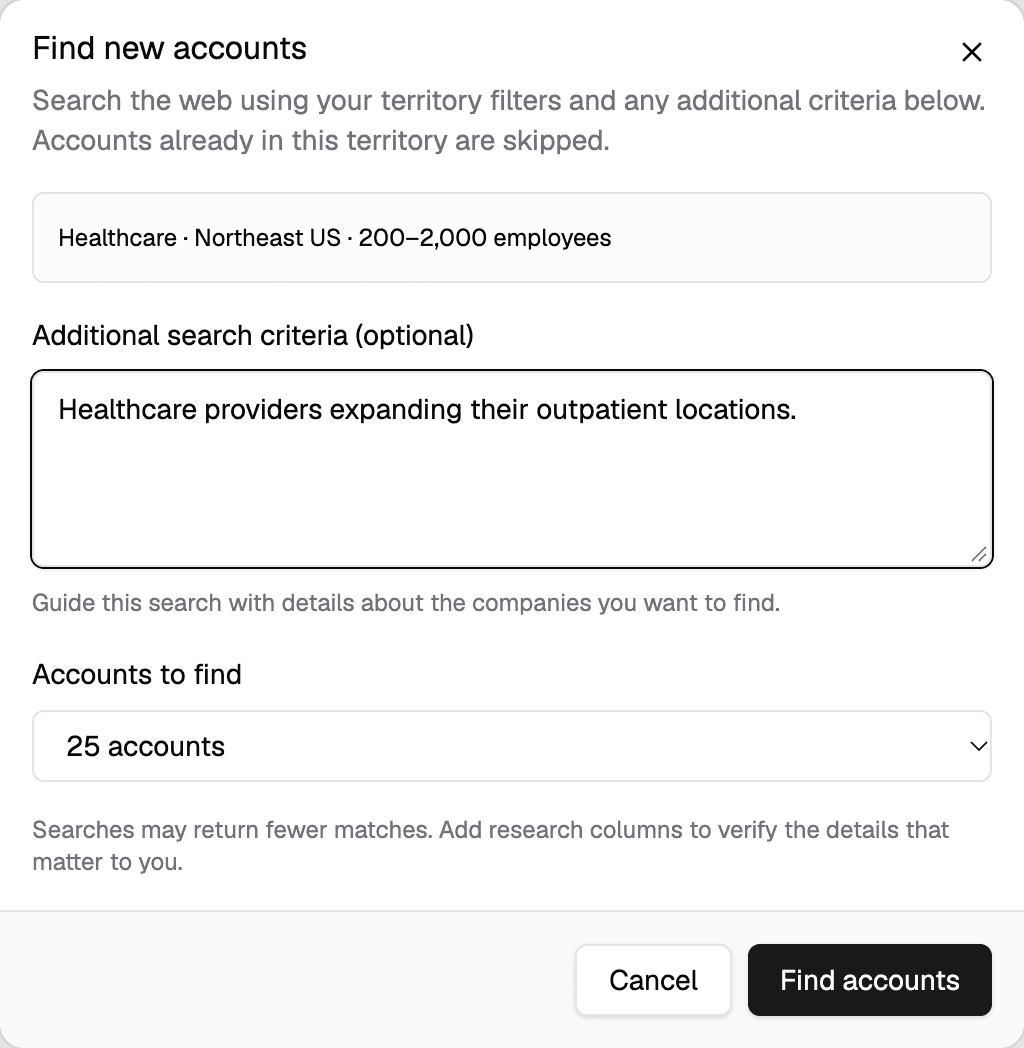
Find new good-fit accounts for your territory
Run a discovery search filtered by industry, employee count, headquarters location, and additional criteria. Review the results, pick the companies that fit, and add them to your territory draft alongside existing accounts.
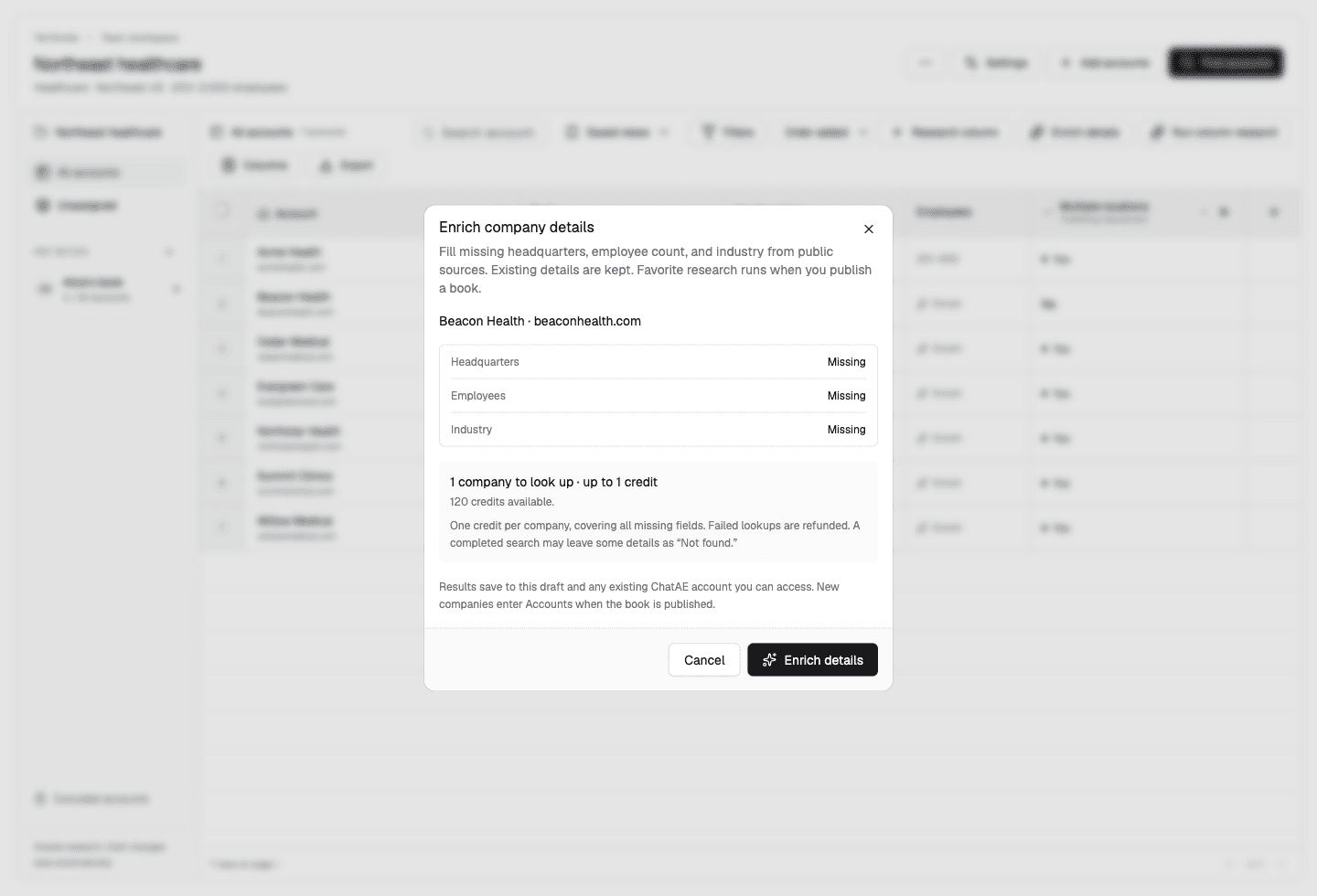
Research accounts and enrich missing details across the list
Enrich missing company details from public sources. Add research columns to answer planning-specific questions — whether a company uses a competitor product, has recently raised funding, or fits a particular market segment. Research runs across every account in the territory.
Define tiers and generate scores across your accounts
Choose ChatAE Account Score or define a custom scoring model with your own criteria and weights. Set tier rules that map score ranges to Tier 1, 2, and 3 — then generate tiers and scores across every account in the territory.
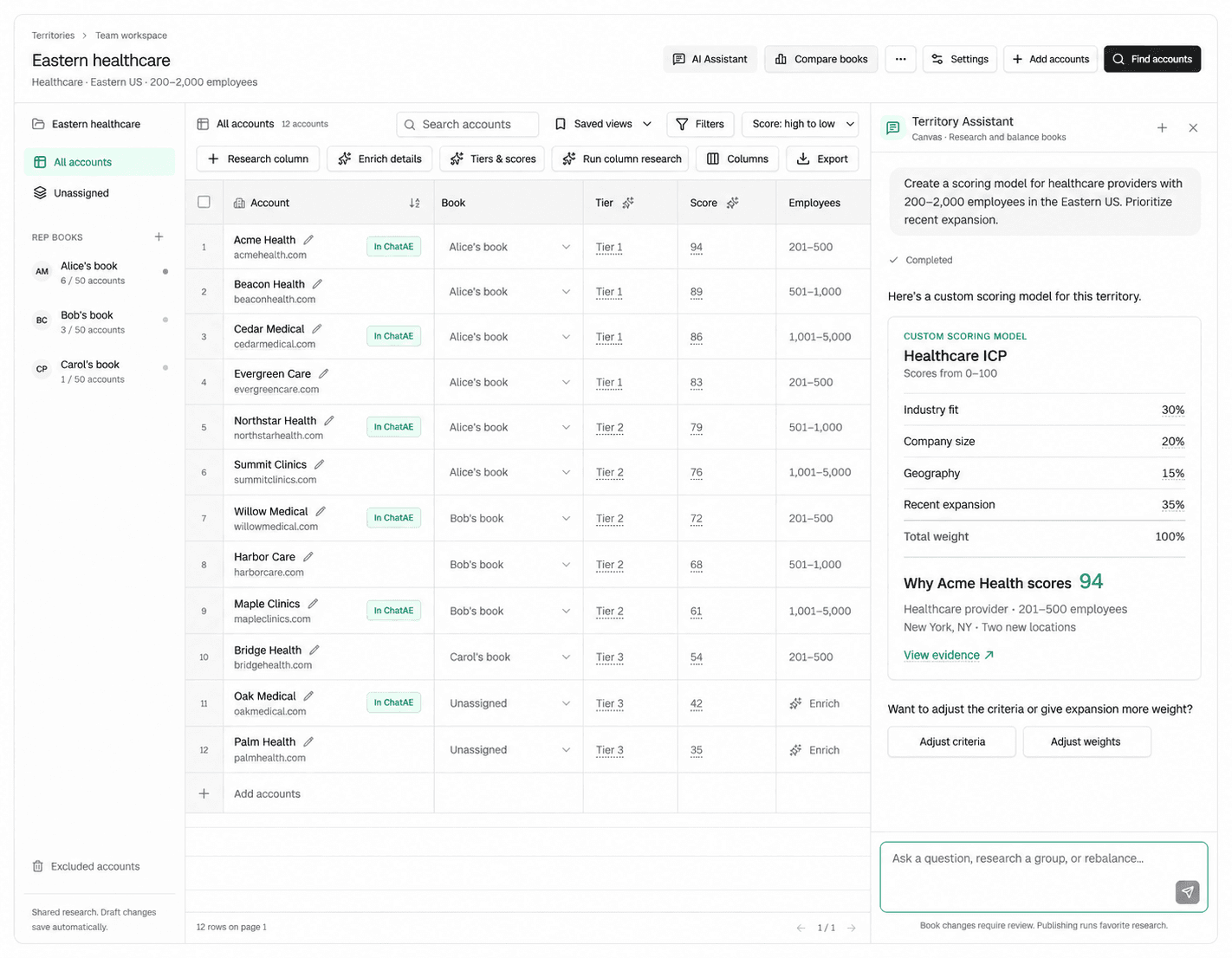
Ask questions about your books and let ChatAE propose changes
The workspace includes a Canvas-powered AI assistant. Ask "Which book has the most AI-native startups?" and it researches the companies, compares across reps, and presents findings with evidence. Ask it to rebalance — proposed changes are reviewed before anything is applied.
Publish researched and scored books so reps know where to start, not working from a cold list
When books are ready, publish them. Assigned accounts automatically enriched with research and contacts appear in each rep’s workspace. Account ownership in CRM gets automatically updated. Multiple admins can collaborate on the same draft before publication.
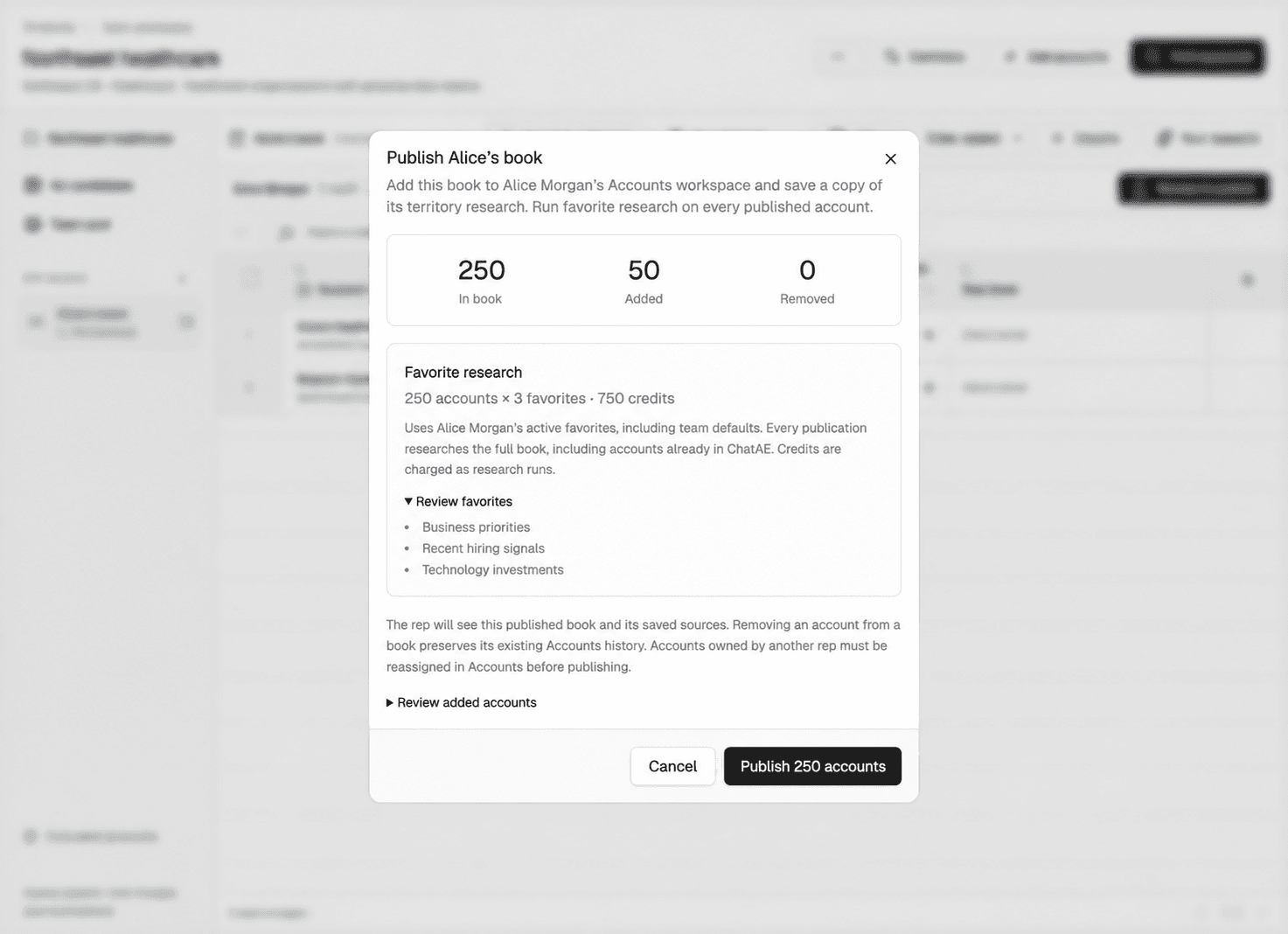
Multiple admins can edit the same draft territory before publication.
Pull accounts from your CRM, score and tier them, and publish books that sync ownership, contacts, and scores back to Salesforce or HubSpot.
Managers see territories according to their reporting hierarchy.
Reps see their published books with research already queued.
Connect territories to Salesforce, HubSpot, and your systems of record
Territory Builder works alongside your CRM, not in place of it. Find new accounts or pull account lists in, research, score and tier them, then publish — everything syncs back and updates automatically.
When you publish, account ownership updates in your CRM automatically. New accounts and contacts flow back with their research, enrichment data, and scores already attached.