
What's New: Find Accounts, AI Trigger Suggestions & Knowledge Base

Three updates this week: Find Accounts to pinpoint companies that match your ICP, AI Trigger Suggestions that build a tailored trigger library for you, and a Knowledge Base that gives ChatAE durable context about your business so every output stays relevant.
Find the right accounts without the guesswork
Find Accounts lets you search for companies that match your ideal customer profile — directly from the Accounts experience or during onboarding.
Combine company size, industry, and multiple locations to describe your target market. Multiple values within one category are inclusive, while different categories must all match — so searching for software companies with 51–200 employees in New York or Boston returns only companies that satisfy every criterion.
Need to cover several cities? Keep adding locations instead of being limited to a single pick. Selected advanced filters stay visible as removable tags even when the Advanced section is collapsed, so you always know exactly what's applied.
ChatAE returns up to 10 strict matches. If fewer than 10 companies meet your criteria, you'll get only the verified results — ChatAE won't loosen your filters just to pad the list. Newly found accounts appear in your Accounts list right away; deeper research may continue populating afterward.
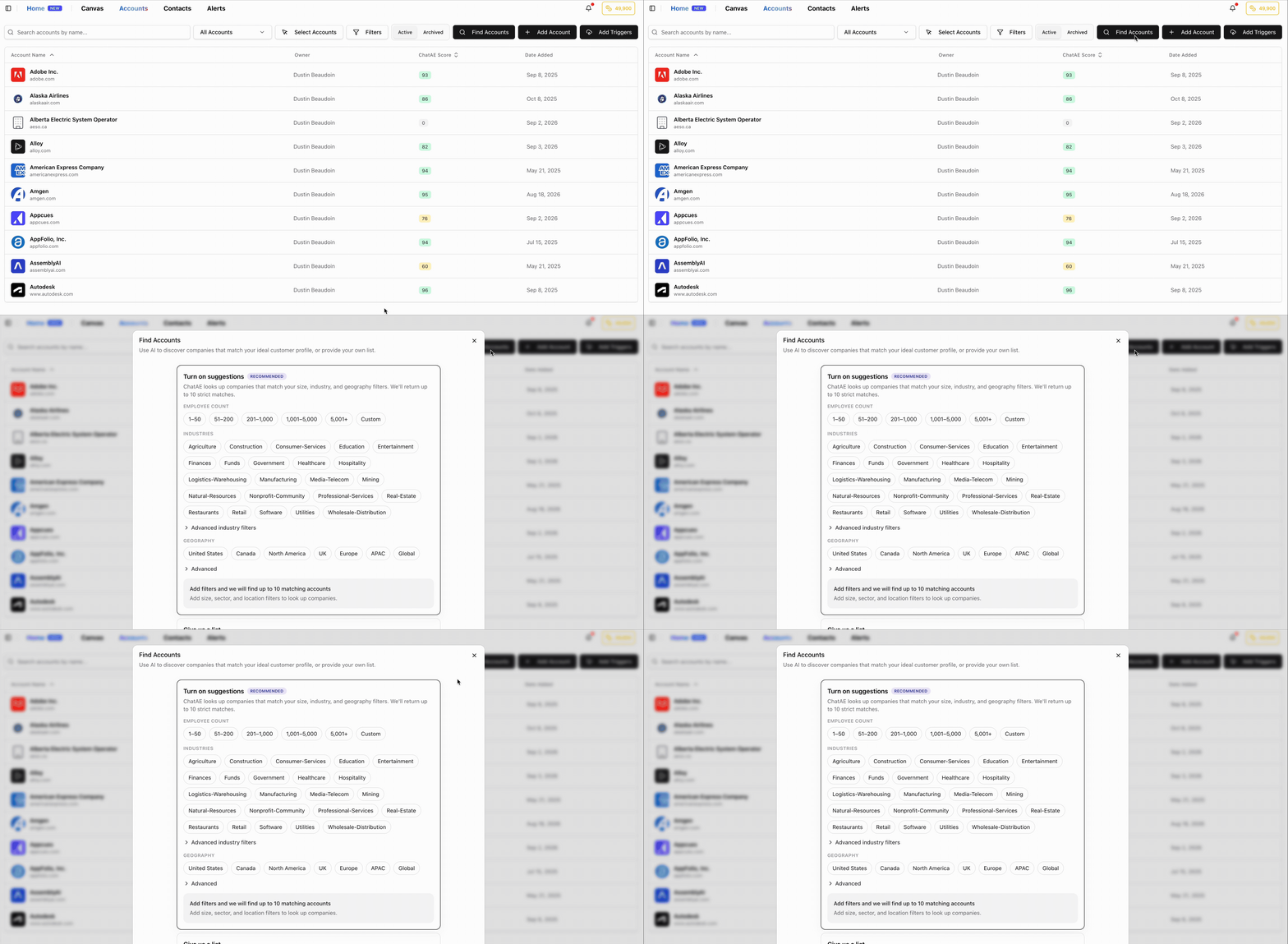
Finding and saving accounts doesn't use credits. Credits are consumed when account-trigger research runs, so you can explore freely before committing.
Let AI build your trigger library
Setting up buying-signal triggers used to mean starting from scratch. Now ChatAE can suggest relevant triggers based on your company, website, and sales context.
From Trigger Settings, tap Generate AI Triggers, enter your company domain or describe your business manually, and ChatAE will propose a set of tailored triggers.
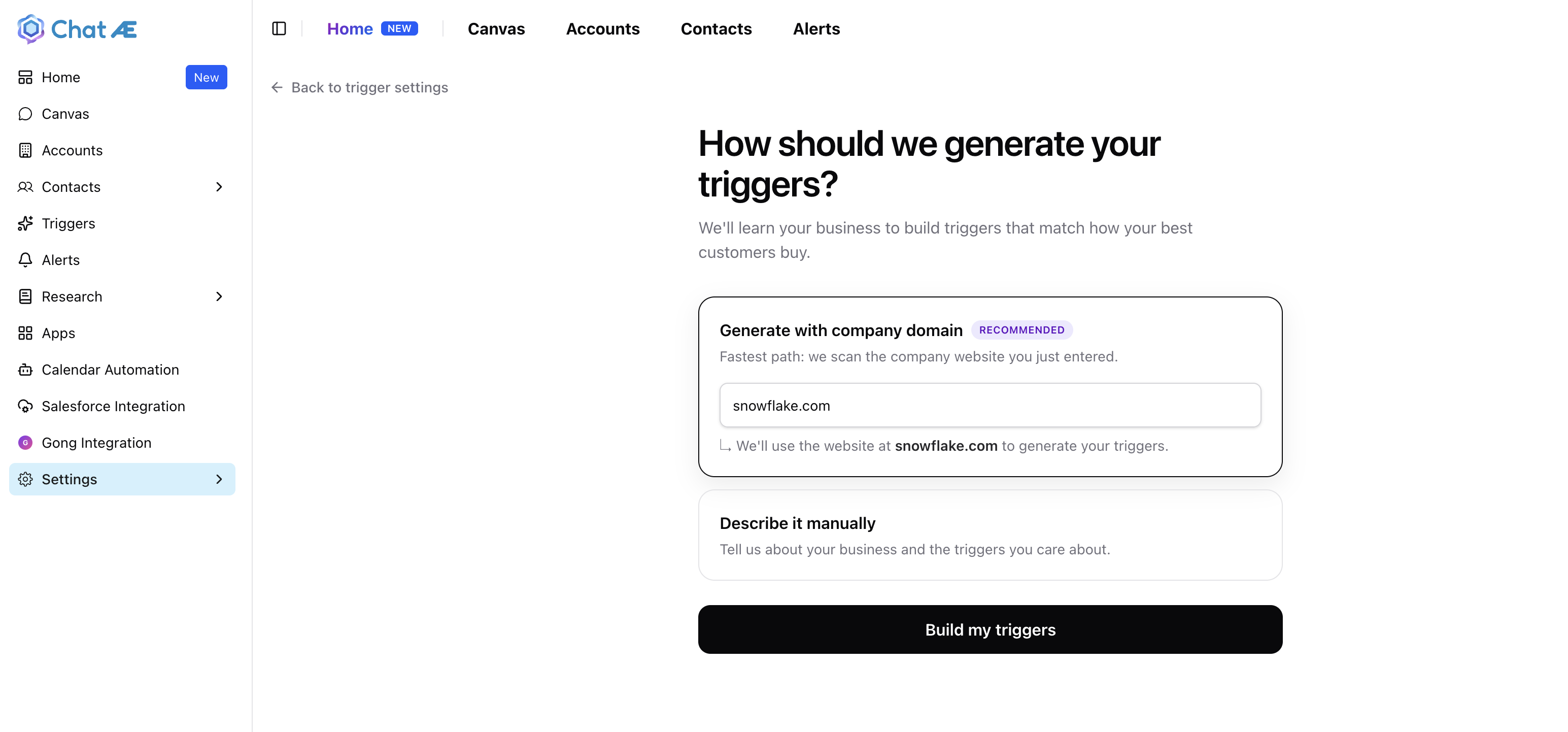
You review each suggestion one by one and choose whether to add it or skip — nothing is added without your approval.
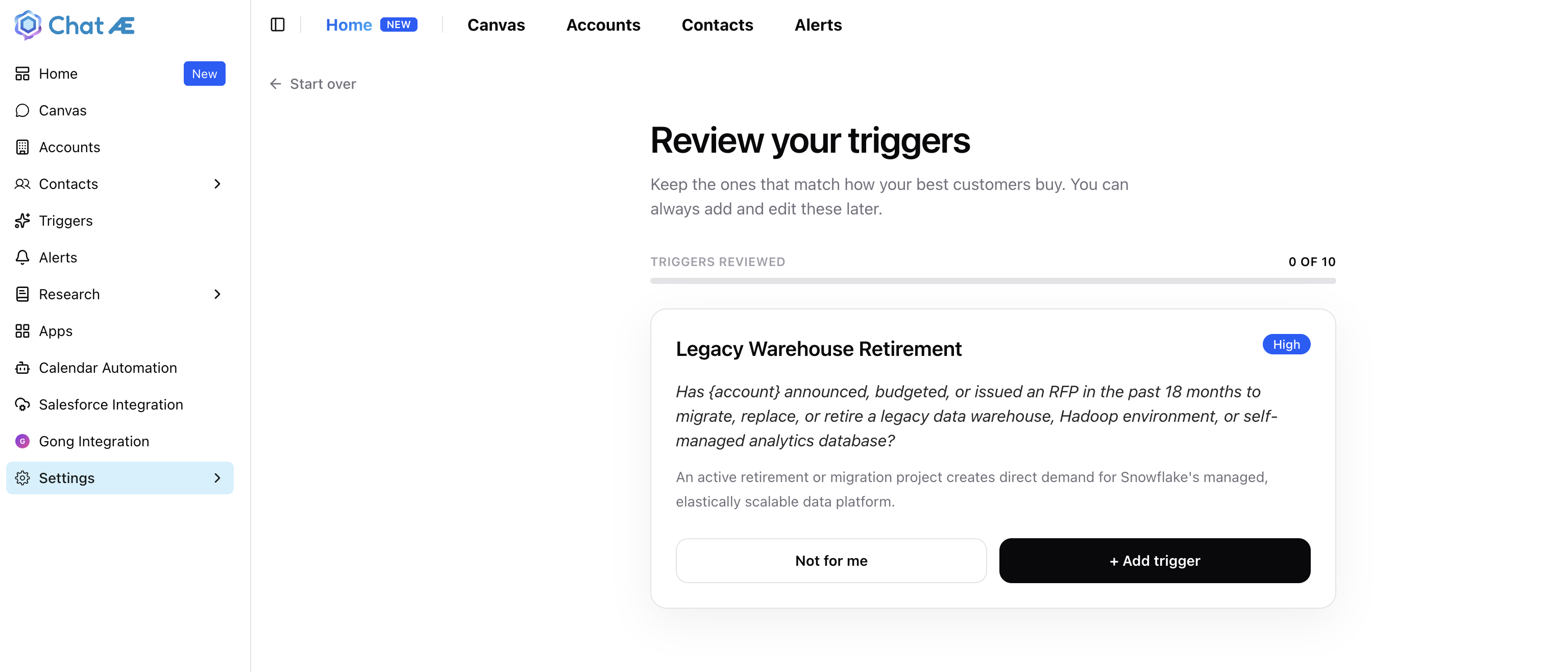
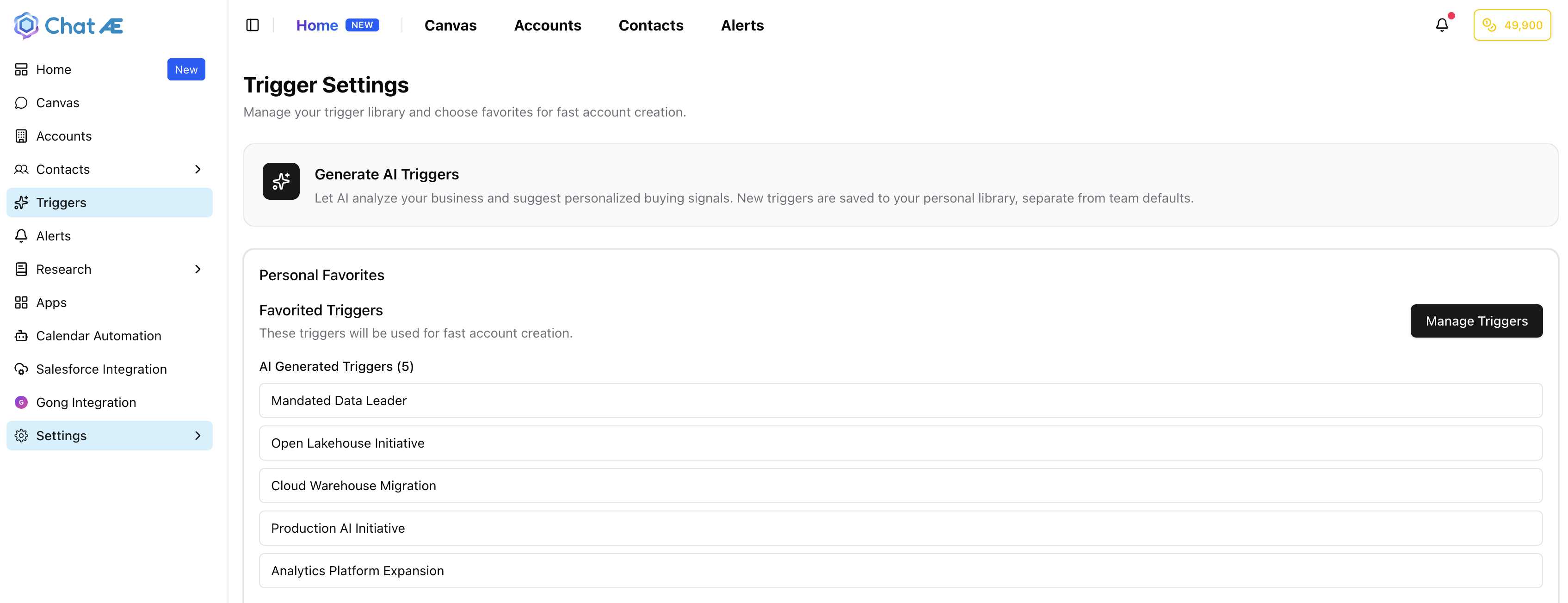
Triggers you accept are saved to your personal library, separate from any organization-level team defaults. That means every user — including non-admins and members of teams with pre-set defaults — gets a curated set of triggers that reflects their own sales focus.
When you're done reviewing, the follow-up runs only the net-new triggers you just accepted — not every trigger in your library or every team default. You stay in control of exactly what fires and when.
Upload your playbook to Knowledge Base
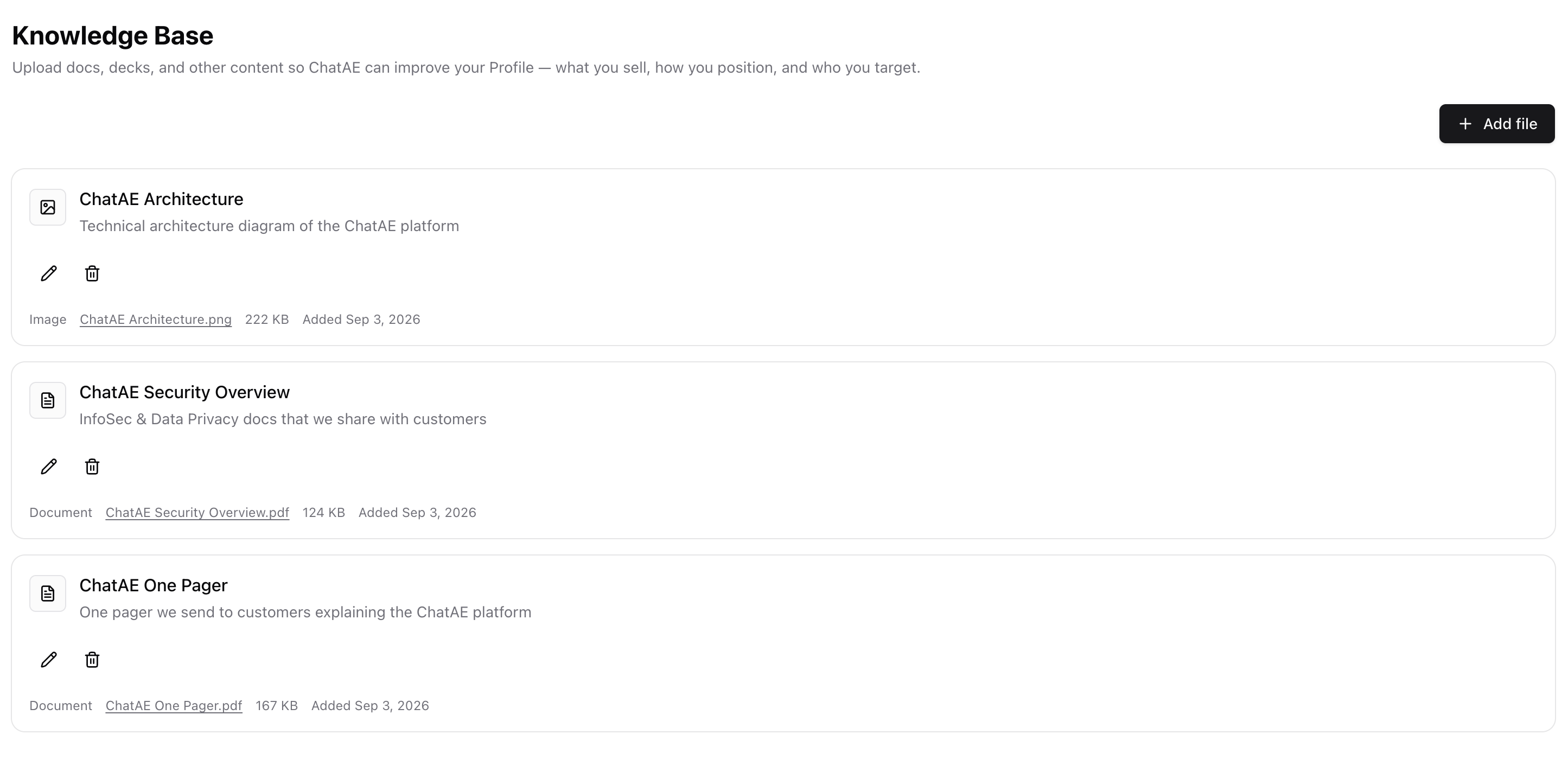
Knowledge Base lets you upload docs, decks, and other content so ChatAE can build a richer understanding of your business — what you sell, how you position, and who you target.
Add your security overview, product architecture, customer one-pagers, or anything else that defines how you go to market. ChatAE uses this context to improve your Profile, keeping its outputs grounded in your actual positioning rather than generic web data.
Each upload gets a title and description, and you can edit or remove items at any time.
Try it out
All three updates are live today. If you're not on ChatAE yet, start your free trial and put them to work in minutes. If you're already a customer, head to Accounts to try Find Accounts, visit Trigger Settings to generate AI suggestions, or open your Knowledge Base and start uploading. Questions about any of these updates? Reach out — we'd love to hear from you.